How Do I Know If My Phone Supports eSIM? Easy Steps
Read this blog to learn quick steps to check compatibility and set up your eSIM.
Most modern smartphones support eSIM, and it’s easy to check if yours does. Simply look for “Add eSIM” in your settings, search for an EID number in the About section, or use an online compatibility tool. iPhones from XS onward, Samsung Galaxy S20+ and newer models, Google Pixels, and many Motorola and Huawei devices already support eSIM. Whether your phone is eSIM-compatible depends on your device model, region, and whether it’s unlocked. Once confirmed, activation is quick; just scan a QR code and instantly connect to an international eSIM plan. For travelers, Jetpac makes this process seamless, offering coverage in over 200 countries, upfront pricing, hotspot support, and 24/7 assistance, making it one of the most trusted eSIM options for travel. Read this blog to learn quick steps to check compatibility and set up your eSIM.
That moment when you're researching travel connectivity options and everyone keeps mentioning eSIM technology, but you have no clue whether your phone actually supports it. You're not alone in this confusion. With dozens of phone models released each year and varying eSIM support across different regions, figuring out compatibility can feel overwhelming.
Practically, checking how I know if my phone supports eSIM is much simpler than you might think. Most modern smartphones include eSIM functionality, but there are specific ways to verify this before you start shopping for international eSIM plans or planning your next international adventure.
Let's walk through everything you need to know about eSIM compatibility, from quick checks you can do right now to detailed guides for different phone brands.
What is an eSIM?
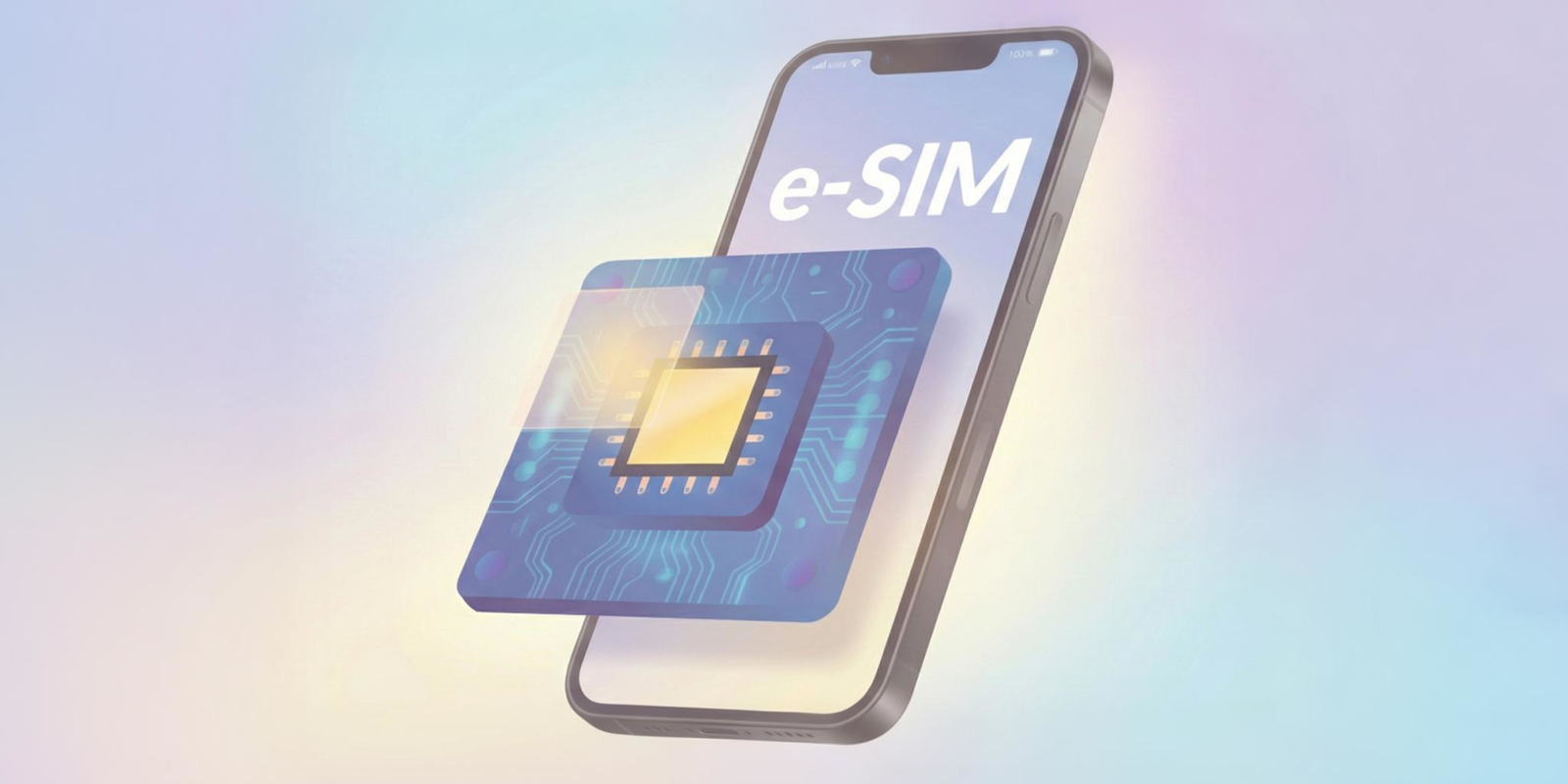
An eSIM (embedded SIM) is a digital version of the traditional physical SIM card that's built directly into your phone's hardware. Instead of inserting a plastic card, you download your carrier profile digitally and activate it through software.
This technology offers significant advantages for travelers and people who need multiple phone numbers. You can store multiple eSIM profiles on one device, switch between carriers without changing physical cards, and activate eSIM for international travelers' services instantly without waiting for shipping or finding local carrier stores.
Unlike physical SIM cards that require specific sizes (nano, micro, standard), eSIMs work universally across supported devices. The embedded chip takes up minimal space inside your phone, allowing manufacturers to use that space for larger batteries or additional features.
Is my phone's eSIM is compatible depends on your device model, manufacturing date, and sometimes your region. Most flagship smartphones released after 2018 include eSIM support, but budget phones and older models may not have this functionality.
How to Quickly Check if Your Phone Supports eSIM?
The fastest way to determine if your phone is eSIM compatible involves checking your device settings. These methods work regardless of your phone brand:
1. Universal Quick Check Methods
- Settings Search Method: Open your phone's settings app and search for "eSIM," "cellular plan," or "mobile network." If eSIM options appear in search results, your phone likely supports the technology.
- About Phone Information: Navigate to your phone's "About" section in settings. Look for sections mentioning "EID" (eSIM Identifier) or "Digital SIM." The presence of an EID number confirms eSIM support.
- Carrier Settings Check: Contact your current carrier and ask them to verify eSIM compatibility for your specific device model. They maintain comprehensive databases of supported devices.
- Online Compatibility Tools: Many eSIM providers offer online tools where you can enter your phone model to check compatibility instantly.
2. Visual Indicators
Some phones display eSIM-related options in their cellular settings even when no eSIM profile is installed. Look for menu items like "Add Cellular Plan," "Mobile Plans," or "SIM Manager" that reference multiple SIM capabilities.
Step-by-Step Guide for Popular Phone Brands
1. iPhone
Apple continues to phase out physical SIM trays in more regions with the iPhone 17 generation.
iPhone Compatibility List (as of 2025):
iPhone 17 / 17 Pro / 17 Pro Max (varies by region)
iPhone Air (slim model) — eSIM-only globally
iPhone 16 series (where applicable)
iPhone 15 series
iPhone 14 series
iPhone 13 series
iPhone 12 series
iPhone 11 series
iPhone XS / XS Max / XR
iPhone SE (2nd and 3rd generation)
How eSIM / SIM differs now (2025):
In certain countries (e.g., the U.S., Canada, Japan, Mexico, Saudi Arabia, UAE, Qatar, Kuwait, Bahrain, Oman, Guam), iPhone 17 / 17 Pro / 17 Pro Max are eSIM-only (no physical SIM tray)
In other markets (including many countries in Asia / Europe), the iPhone 17 line retains a nano-SIM + eSIM hybrid model
The iPhone Air is fully eSIM-only everywhere - no SIM tray at all
Country exceptions: in mainland China, SIM tray models may still exist due to local regulatory / carrier constraints
How to check on iPhone (2025):
Settings > General > About → scroll down for Digital SIM or EID.
If you see a long EID number, that suggests eSIM capability.
Settings > Cellular → check for Add Cellular Plan or Add eSIM.
Note: Even if a model is eSIM-capable, it may not support it in all markets (depending on region/carrier restrictions).
2. Samsung
Samsung continues to support eSIM in many flagship and higher-end models.
Samsung eSIM-Compatible Models (confirmed / typical):
- Galaxy S25, S25 FE, S25+ , S25 Ultra
- Galaxy S24, S 24 FE, S24+ , S24 Ultra
Galaxy S23, S23+ , S23 Ultra
Galaxy S22 series
Galaxy S21 series
Galaxy S20 series
Galaxy Note 20 / Note 20 Ultra
Galaxy Z Fold / Z Flip series (most models)
Galaxy A54, A34 (in select regions)
How to check on Samsung:
Settings > Connections > SIM Card Manager → look for Add Mobile Plan or Add eSIM.
Settings > About Phone > Status → check for EID.
Use the Samsung Members app to check if your specific device variant supports eSIM.
3. Google Pixel
With the launch of the Pixel 10 series, Google has pushed further toward eSIM-first or eSIM-only in some markets.
Pixel eSIM-Compatible / eSIM-Only Models:
Pixel 10 / 10 Pro / 10 Pro XL — U.S. models are eSIM-only (no physical SIM slot) (Outside the U.S., Pixel 10 models may use hybrid: one nano-SIM + one eSIM)
Pixel 9a / 9 / 9 Pro / 9 Pro XL / 9 Pro Fold
Pixel 8a / 8 / 8 Pro / 8 Pro XL / Pixel Fold
Pixel 7a / 7 / 7 Pro / 7 Pro XL
Pixel 6a / 6 / 6 Pro / 6 Pro XL
Pixel 5, 4 series
Pixel 3 / 3a / 3 XL, etc.
How to check on Pixel:
Settings > Network & Internet > Mobile Network → look for Add Network / Add Carrier.
Settings > About Phone > SIM Status → look for EID.
During setup, the phone may prompt you to convert a physical SIM to eSIM if you’re in a region where the SIM tray is being deprecated.
4. Motorola / Huawei / Xiaomi / Oppo & Others
Support for eSIM in these brands remains uneven and heavily dependent on model variant and region.
Motorola: Edge series and select Moto G line models are likely to continue to have eSIM support in select markets.
Huawei: Recent flagship lines (P and Mate series) may have eSIM in some markets, but physical SIM is still common.
Xiaomi: eSIM support is still limited, often to specific regional versions (e.g., Europe, Asia) of flagship models.
Oppo: Some newer premium models may include eSIM support, particularly in markets where eSIM adoption is rising.
How to check on these brands:
Settings > Network / SIM & Mobile Networks → see if the option exists for Add eSIM / SIM management.
Search for EID or “Digital SIM” in the “About phone” section.
Look up the exact model variant (region code) to see whether it supports eSIM in your country.
Do I Need an Unlocked Phone for eSIM?
If you want to know Is my phone's eSIM is compatible, it often depends on whether your device is carrier-locked or unlocked. Here's what you need to know:
Carrier-Locked Phones
Phones purchased through carriers (Verizon, AT&T, T-Mobile, etc.) may have eSIM functionality restricted to that specific carrier's network. Even if your phone hardware supports eSIM, software limitations might prevent you from using international eSIM plans from other providers.
Unlocked Phone Advantages
Unlocked phones provide full eSIM flexibility, allowing you to:
Use any compatible eSIM provider
Switch between multiple best eSIMs for travel services
Activate international eSIM services without carrier restrictions
Maintain your primary carrier while adding secondary eSIM lines
How to Check Lock Status
- iPhone: Settings > General > About > Carrier Lock (if it shows "No SIM restrictions," your phone is unlocked)
- Android: Contact your carrier or use online IMEI checkers to verify unlock status
Unlocking Your Phone
Most carriers will unlock phones after contract completion or early termination fees. The process typically takes 24-48 hours and enables full eSIM functionality for international travel.
Region and Model Differences You Should Know
How do I know if my phone supports eSIM becomes more complex when considering regional variations. The same phone model may have different eSIM support depending on where it was purchased:
Regional eSIM Variations
- North American Models: Generally include full eSIM support across carriers and international providers
- European Models: Usually support eSIM with some carrier-specific restrictions in certain countries
- Asian Models: Mixed support, with some countries (like China) restricting eSIM functionality entirely
- Middle East/Africa: Limited eSIM support, though this is expanding rapidly
Model Number Differences
Phone manufacturers often use different model numbers for different regions, and eSIM support can vary:
iPhone: Model numbers starting with "A" indicate region-specific features
Samsung: SM-xxxx model numbers may have different eSIM capabilities
Google Pixel: Generally consistent eSIM support across regions
Carrier-Specific Firmware
Some phones have carrier-specific firmware that affects eSIM functionality. Unlocked phones typically provide the most comprehensive eSIM support for eSIM for international travelers.
Benefits and Drawbacks of eSIMs
Understanding eSIM advantages and limitations helps you make informed decisions about is my phone is eSIM compatible and whether the technology meets your needs:
5 Benefits of using an eSIM
- Convenience for Travelers: Best eSIM for travel services activates instantly without physical SIM card swapping or carrier store visits
- Multiple Numbers: Store several eSIM profiles simultaneously and switch between personal, business, or travel numbers
- Enhanced Security: eSIM profiles are harder to steal or tamper with compared to physical SIM cards
- Environmental Impact: Eliminates plastic SIM card production and packaging waste
- Space Efficiency: Allows phone manufacturers to design thinner devices or include larger batteries
4 Drawbacks of using eSIM
- Limited Compatibility: Not all phones support eSIM, particularly budget and older models
- Transfer Complexity: Moving eSIM profiles between devices can be more complicated than swapping physical SIM cards
- Carrier Support: Not all carriers offer eSIM services, though this is changing rapidly
- Backup Challenges: Physical SIM cards can be easily moved to backup phones if your primary device fails
How to Activate an eSIM on Your Phone?
Once you've confirmed does your phone has an eSIM, activation follows similar patterns across different devices and carriers:
General eSIM Activation Steps
Purchase eSIM Plan: Choose from international eSIM plans or domestic eSIM providers
Receive QR Code: Most providers send activation QR codes via email
Scan QR Code: Use your phone's camera or eSIM settings to scan the code
Download Profile: Your phone downloads the eSIM profile automatically
Configure Settings: Set up cellular data, calling preferences, and line labels
Test Connectivity: Verify data and voice services work properly
iPhone eSIM Activation
Settings > Cellular > Add Cellular Plan
Scan QR code or enter activation details manually
Choose whether to use eSIM for data, calls, or both
Label your eSIM line for easy identification
Android eSIM Activation
Process varies by manufacturer, but generally involves:
Settings > Network & Internet > Mobile Network
Add Network or Add eSIM
Scan QR code or enter activation information
Configure network preferences and line settings
Can I Use an eSIM While Traveling Abroad?
Is my device's eSIM is compatible for international travel depends on both hardware support and carrier partnerships. Here's what you need to know:
International eSIM Advantages
- Instant Activation: Download and activate international eSIM plans before or during travel without finding local carrier stores
- Multiple Country Support: Single eSIM profiles often work across multiple countries in regions like Europe or Asia
- Cost Control: Best eSIM for travel plans typically offer transparent pricing without surprise roaming charges
- Dual SIM Functionality: Keep your home number active while using an international eSIM for data and local calls
Travel eSIM Considerations
- Network Compatibility: Ensure your eSIM provider has partnerships with reliable networks in your destination countries
- Data Limits: Most eSIMs for international travelers include data allowances rather than unlimited usage
- Voice Calling: Some international eSIM plans focus on data services, requiring internet calling apps for voice communication
- Device Compatibility: Verify your specific phone model supports eSIM in your destination countries
Why Jetpac eSIM Makes Checking Compatibility a Breeze?
If you’re asking how I know if my phone supports eSIM, Jetpac makes it simple with instant tools, expert support, and added benefits built for travelers.
Instant compatibility check: Check your phone model and instantly confirm if your phone is eSIM compatible.
Full device coverage: Works with most of the models of iPhones, Samsung, Google Pixel, Motorola, and other eSIM-ready devices.
Premium global networks: Stay connected in 200+ destinations with top-tier carrier partnerships.
70% cheaper data: Save significantly compared to roaming or local SIM options.
No bill shocks: 100% upfront pricing keeps your travel budget predictable.
24/7 support: Help is always available through WhatsApp or email.
Extra perks: Free WhatsApp, Uber, and Google Maps even after data runs out, hotspot sharing on unlimited packs, 5G in 50+ countries, and lounge access on flight delays.
Jetpac is more than just an eSIM provider; it’s the best eSIM for travel, making compatibility checks effortless and keeping you connected without surprises.
FAQs
How do I know if my phone is compatible with eSIM?
How do I know if my phone supports eSIM can be verified by checking your device settings for eSIM options, looking for an EID number in your phone's About section, or using online compatibility tools. Most iPhones from XS/XR onwards, recent Samsung Galaxy devices, and Google Pixel phones support eSIM technology.
What phones cannot use eSIM?
Phones that cannot use eSIM include most devices released before 2018, budget smartphones under $300, some Chinese market variants of international phones, and carrier-locked phones with restricted eSIM functionality. Is my phone's eSIM is compatible depends on your specific model, region, and carrier restrictions.
Are eSIMs really free?
eSIM technology itself doesn't cost extra, but you still pay for cellular service plans. Some carriers charge small fees for eSIM activation or QR code generation, while others include it for free. International eSIM plans pricing varies by provider and coverage area, similar to traditional SIM card plans.
How do I check if my Android Phone supports eSIM?
How to check if my phone supports eSIM on Android involves going to Settings > Network & Internet > Mobile Network and looking for "Add Network" options, or checking Settings > About Phone for EID information. You can also search your settings for "eSIM" or "digital SIM" terms.
Do eSIMs work on all phones?
No, eSIMs don't work on all phones. Does my phone has an eSIM depends on your device model, manufacturing date, and region. Generally, flagship smartphones from 2018 onwards support eSIM, but budget phones and older models often lack this functionality.
Can I Use an eSIM and a SIM Card at the Same Time?
Yes, most eSIM-compatible phones support dual SIM functionality, allowing you to use both a physical SIM card and an eSIM simultaneously. This is particularly useful for eSIM for international travelers who want to maintain their home number while using local data services.
How Many eSIMs Can I Add to My Phone?
Most phones can store multiple eSIM profiles (typically 5-20 depending on the device), but only one or two can be active simultaneously. Is my device is eSIM compatible with multiple profiles, depends on your specific phone model and carrier support for dual/multiple eSIM functionality.
How do I get an eSIM QR code?
You get an eSIM QR code by purchasing a plan from an eSIM provider, who will email or display the activation code. For the best eSIM for travel services, you typically receive QR codes immediately after purchase, which you then scan using your phone's camera or eSIM settings menu to activate the service.