
How Much Data Does YouTube Use? Guide to Streaming Smarter
Learn how much data YouTube uses per hour, how to check usage on iPhone and Android, and simple ways to cut back with data saver settings, offline downloads, and Jetpac eSIM plans for affordable streaming while traveling.

YouTube can use anywhere from under 100MB to over 7GB per hour, depending entirely on video quality — a 480p video uses roughly 360MB per hour, while 4K can burn through 7GB or more in the same time. Streaming video is one of the most data-intensive things you can do on your phone, using far more than browsing or scrolling through social media.
This matters even more while traveling, when international roaming is expensive and every gigabyte counts. That's where a tool like Jetpac's international eSIM comes in — but first, let's break down exactly how much data YouTube uses at every quality level, how to check your own usage, and how to cut back without giving up your favorite videos.
The question becomes even more important when traveling. International roaming is expensive, and people often wonder how much data they actually need when traveling to keep up with YouTube.
Does YouTube Use A Lot Of Data?
To put it in perspective: YouTube is the world's second most-visited website, with over 2.6 billion monthly active users streaming a combined 440,000+ terabytes of data every single day. Individually, your usage will look nothing like that scale — but it explains why even casual daily viewing adds up faster than most people expect.
YouTube has become part of daily life for millions of people. Whether it’s watching a tutorial, catching up on the news, or streaming music videos, most of us open the app without thinking twice. But the hidden cost is often in the data it consumes. So, does YouTube use a lot of data? The honest answer is yes, it can.
How Much Data Does YouTube Use Per Hour?
The amount of data YouTube uses depends entirely on the video quality. The higher the resolution, the more data it consumes. For example, a video at 480p might only use half a gigabyte per hour, while a 4K video can easily use 7–8GB in the same time.
Here’s a breakdown to help you visualize it better:
|
Resolution |
Data Per Hour |
Data for 2 Hours |
Daily Use (3 Hours) |
|
480p (SD) |
360 MB |
720 MB |
1.1 GB |
|
720p (HD) |
900 MB |
1.8 GB |
2.7 GB |
|
1080p (Full HD) |
1.5 GB |
3 GB |
4.5 GB |
|
4K (Ultra HD) |
7.2 GB |
14.4 GB |
21.6 GB |
So, how much data does YouTube use if you watch one movie-length video at 1080p? Roughly 3GB for two hours. That’s more than some prepaid plans give you for an entire month. This is why being conscious of your resolution settings makes such a big difference.
More Data Usage Guides
- How Much Mobile Data Do You Really Need for Travel?
- How Much Data Does Netflix Use?
- How Much Data Does Instagram?
- How Much Data Does Google Maps Use?
How to Check YouTube Data Usage on Your Device
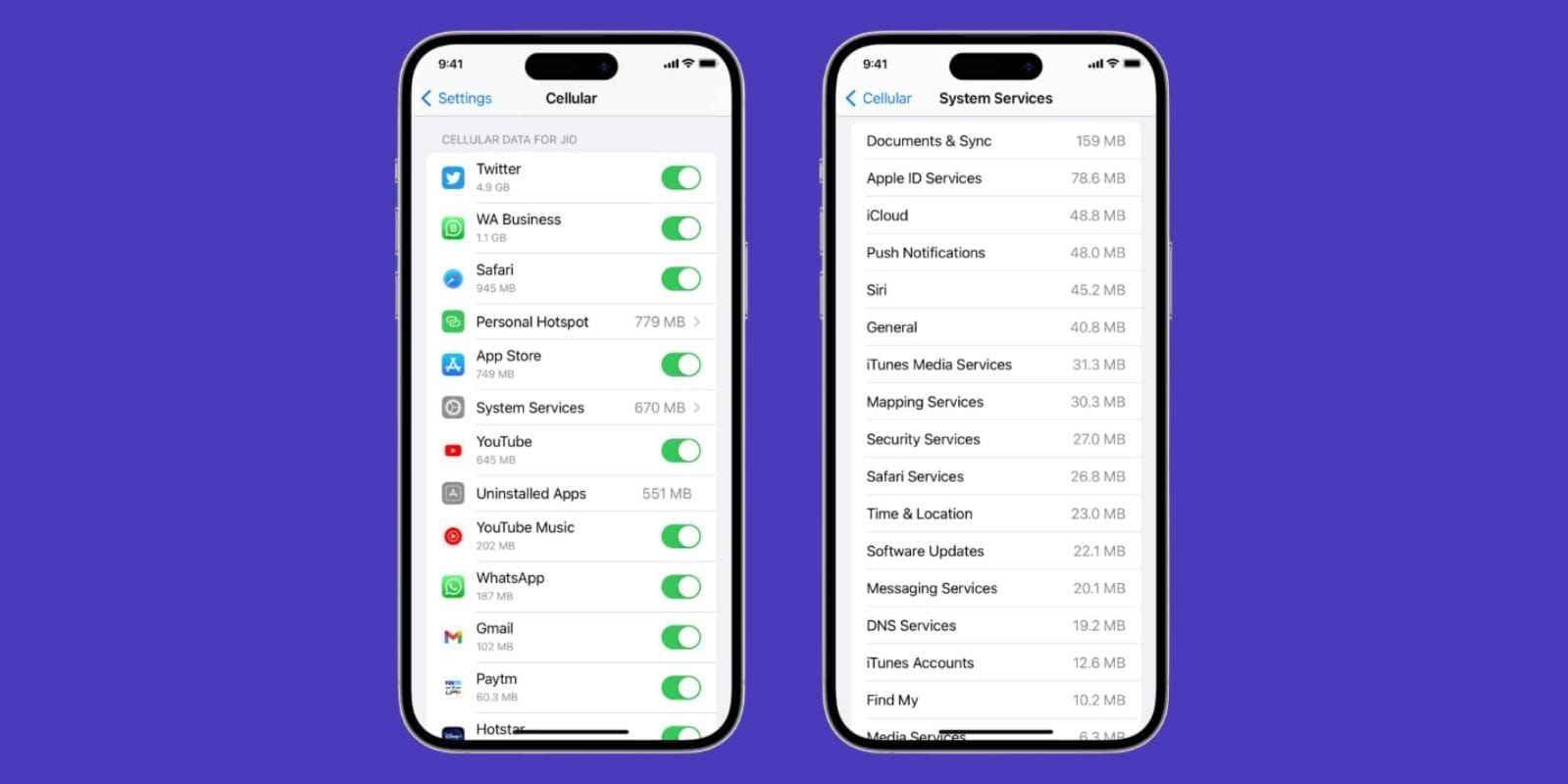
Even if you know the averages, it’s useful to track your personal habits. Your phone records app-by-app data use, so you can see exactly, and find an answer to, “how much data does YouTube use”:
On iPhone
Open Settings and tap Cellular.
Scroll until you see YouTube. The number next to it is how much data the app has used since the last reset.
To track monthly, reset statistics at the start of your billing cycle.
On Android
Go to Settings > Network & Internet > Data Usage.
Tap Mobile Data Usage.
Choose YouTube to see the total consumed during the cycle.
This is the easiest way to see how much data does a YouTube video use in your real-world habits, not just theoretical numbers. If you watch Shorts daily or play long playlists in HD, you’ll see it reflected in your data tracker.
How to Reduce Data Usage on YouTube
Watching videos doesn’t have to burn through your whole data plan. There are plenty of simple adjustments you can make to reduce usage.
Adjust streaming quality to reduce data use
Most people don’t need 1080p on a 6-inch phone screen. Switching to 480p or 720p can save gigabytes without sacrificing much in viewing quality.
Preload or stream on Wi-Fi whenever possible
Download or preload videos when you’re on Wi-Fi. That way, you can watch them later without using your mobile data.
Enable YouTube’s data-saving mode
YouTube has a built-in “Data Saver” mode that automatically reduces quality. It’s especially useful when you’re using international eSIM plans abroad. You can also turn data saver mode on your device.
Download videos to watch offline
If you subscribe to YouTube Premium, download your favorite content before leaving home. This guarantees smooth playback without worrying about how much of data does YouTube use.
Turn off Autoplay
Left on, YouTube automatically starts playing the next video in a queue — often at whatever your default quality is. Turn it off from the toggle on any video's watch screen, or via your profile icon > Settings > Autoplay.
Disable muted preview playback
When scrolling your feed, YouTube plays a few seconds of muted video preview for nearly every thumbnail you pass — a small but constant data drain if you scroll a lot. Turn it off via your profile icon > Settings > "Muted playback in feeds."
Disable cellular streaming completely
If you want a hard stop on YouTube using mobile data at all, you can disable cellular data specifically for the app. On iPhone: Settings > Cellular > scroll to YouTube > toggle off. On Android: Settings > Network & Internet > Data Usage > App data usage > YouTube > toggle off "Background data" and "Unrestricted data usage."
Comparing YouTube Data Usage to Other Services
To put YouTube’s data needs in perspective, see the comparison with other similar applications:
Netflix: Around 1GB per hour at SD, up to 7GB at 4K.
TikTok/Instagram Reels: 0.5–1GB per hour, depending on video quality.
Spotify/Apple Music: Just 40–150MB per hour.
So yes, does YouTube use a lot of data? If you compare it to audio-only apps, yes, definitely. It uses a lot of data. Compared to other video services, YouTube is about the same, but it can increase depending on the resolution.
How Much Data Does YouTube TV Use?
YouTube TV is one of the most data-intensive platforms, as it streams live television continuously. So, how much data does YouTube TV use?
SD streams: ~1.5GB per hour
HD streams: ~3GB per hour
4K streams: 7–8GB per hour
Sports fans can especially notice the data consumption of YouTube. A three-hour game in 4K could easily eat a double of gigabytes. This is why frequent YouTube TV viewers benefit from unlimited plans or flexible international eSIM packages when traveling.
How Much Data Does YouTube Shorts Use?
At first, Shorts look like they use only some data as they’re only 15 to 60 seconds long. But scroll for an hour and you’ll see the impact. One short at 480p may use just 2 to 4MB, but after an hour of watching, you could burn a GB or more.
So while Shorts don’t seem like they’d contribute much to how much data does a YouTube video use, they add up quickly. That endless scroll can be just as heavy as long-form video.
YouTube Music Data Consumption
YouTube Music is much lighter compared to its video consumption. Here’s the breakdown of how much data does YouTube Music use:
Low quality (48kbps): ~40MB per hour
Standard (128kbps): ~150MB per hour
High quality (256kbps): ~300MB per hour
This is far lower than video streaming, but if you prefer watching music videos on the regular YouTube app, expect to use 1–1.5GB per hour in HD.
Stream YouTube Smartly Without Running Out of Data with Jetpac
If you’re traveling, you may be wondering how much data do you need when traveling to keep up with YouTube? For casual usage, 2 to 3 GB per week may be enough. For heavy streamers, expect 10GB or more.
If you're worried and thinking, “How much data does YouTube use?” that’s where Jetpac eSIM plans can help you. With Jetpac’s international eSIM plans, you can:
Activate instantly in 200+ destinations.
Get affordable plans starting as low as $1.
Use essential apps like WhatsApp, Google Maps, or rideshare services even after data runs out.
Save money on local SIMs or roaming fees.
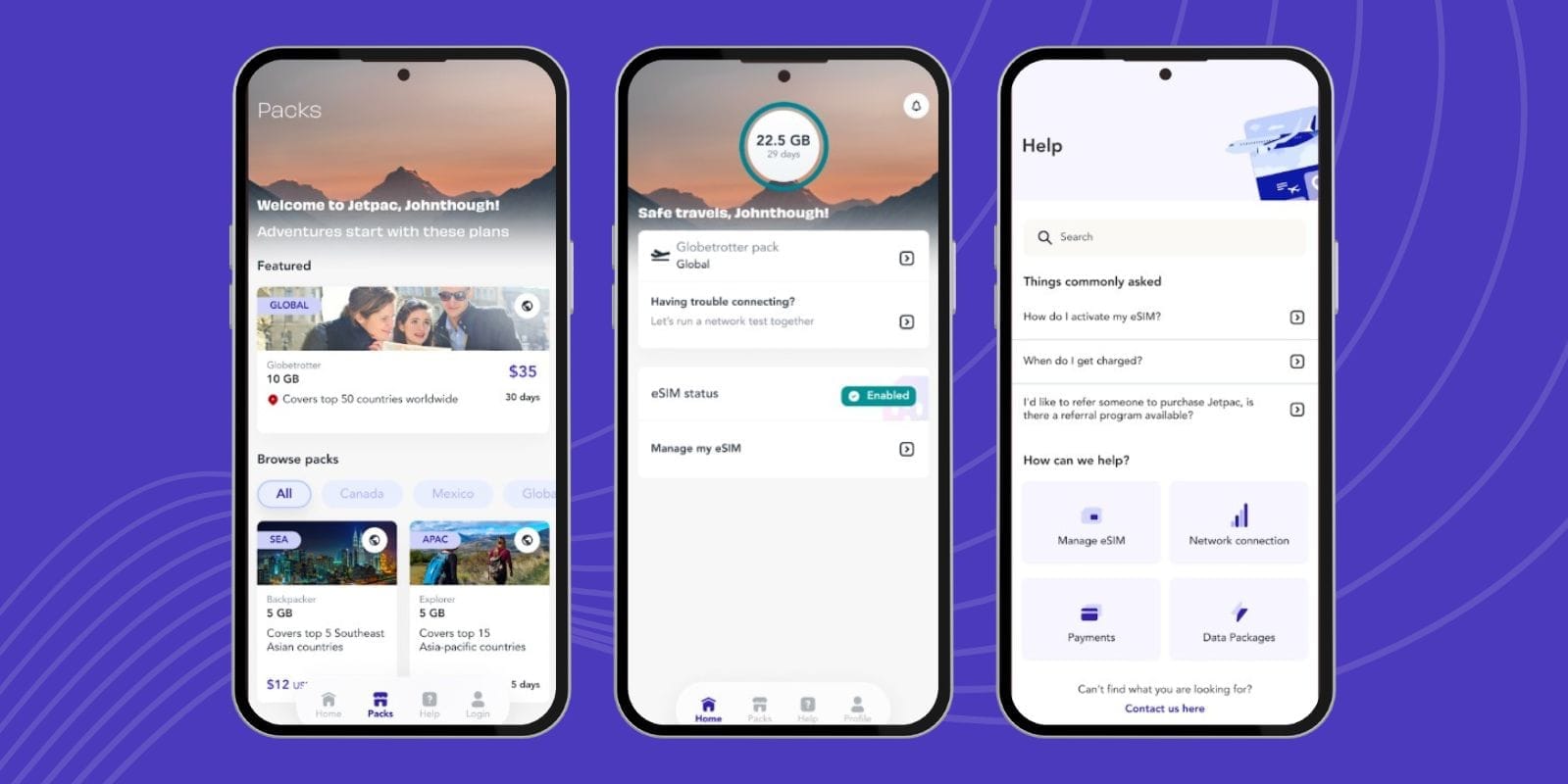
With Jetpac’s international eSIM, you’ll never have to worry about how much data will YouTube use, you’ll always have a reliable backup. You can also check the data usage on the Jetpac eSIM app, which is available for both iOS and Android.
FAQ
Does watching YouTube on your phone use data?
Yes. Unless you’re connected to Wi-Fi, streaming constantly uses data. Watching at 480p uses about 500MB per hour, while 1080p uses closer to 3GB. So if you stream daily on mobile, you’ll see YouTube at the top of your usage list.
How long will 1GB of data last on YouTube?
It depends on quality. At 480p, about 2 hours. At 720p, less than 1 hour. At 1080p, you’ll only get 20 to 30 minutes. If you watch Shorts, 1GB might last an hour of scrolling.
How to make YouTube use less data?
Lower your quality settings to 480p or use YouTube’s Data Saver mode. Preloading on Wi-Fi also helps, and downloading with YouTube Premium is the best way to avoid burning through data. Combine this with international eSIM plans abroad for even better control.
How long will 2GB of data last on YouTube?
At SD quality, 2 GB of data will last about 4 hours. At HD, it may last for about 1.5 to 2 hours. If you split usage between music, Shorts, and videos, 2GB could disappear in a single evening.
Is 5GB of data enough for a month?
For light use, 5GB of data is enough. At 480p, that’s 10 hours of streaming. But for heavy users, 5GB won’t last long. Jetpac’s unlimited international eSIM packages are designed for people who want to watch freely without counting gigabytes.
Does YouTube use data when the screen is off?
If a video is playing, yes, it’s still consuming data. But YouTube Premium offers audio-only playback in the background, which uses less data than video streaming.
Does YouTube or Netflix use more data?
Both applications use enough data. At HD, both average about 3GB per hour. At 4K, both use 7GB or more. If you’re a frequent streamer of either, you’ll need a plan with enough data.
How much data do you need when travelling?
For casual use, 2 to 3GB per week. For daily streaming, 5–10GB weekly. For unlimited peace of mind, choose Jetpac’s flexible international eSIM plans, which let you top up anytime, and you can keep using your favorite apps abroad.
Conclusion
So, how much data will YouTube use & how much of data does YouTube use? The answer is: quite a lot. Between regular videos, YouTube TV, Shorts, and music videos, it’s easy to burn through gigabytes in just a few days. However, with smart habits, lowering video quality, monitoring usage, and relying on affordable international eSIM plans like Jetpac, you can continue streaming without stress.
Travel or home, YouTube doesn’t have to drain your data plan. Plan ahead, manage your settings, and stay connected with Jetpac’s international eSIM wherever you go.