How to Get Mobile Internet in Bali in 2026
For mobile internet in Bali, install a travel eSIM before departure or purchase a registered local SIM when you arrive. Roaming can work if your home plan covers Indonesia, while pocket Wi-Fi suits groups. Check your phone's compatibility, data needs, and coverage, especially for remote areas.

The easiest way to get mobile internet in Bali is to install a travel eSIM before departure or buy a registered local SIM after arrival.
International roaming also works on eligible plans, while pocket Wi-Fi is useful for groups. The right option depends on your phone, itinerary, data use, and budget.
Bali has established 4G service around Denpasar, Kuta, Seminyak, Canggu, Sanur, and Ubud, but reception can vary in mountainous and remote areas. If you're asking "how to get internet in Bali", start by checking phone compatibility and the networks serving your route.
Quick Answer: What Is the Best Way to Get Internet in Bali?
If you are deciding "how to get internet in Bali" for a short holiday, a travel eSIM is convenient on an unlocked, compatible phone.
A local SIM can suit longer stays or travelers needing an Indonesian number; roaming may be enough if your home plan already includes Indonesia.
What Is Mobile Internet in Bali Like?
Telkomsel, Indosat (IM3), and XLSmart/XL are major Indonesian mobile operators. Their coverage differs, so the network matters as much as the amount of data purchased.
Independent Opensignal testing in late 2025 found stronger overall geographic coverage for Telkomsel nationally, but that does not guarantee the best reception at every Bali address.
4G LTE (Long-Term Evolution) generally handles maps, messaging, bookings, and ride-hailing. 5G is available in selected places, not throughout Bali. Network speed depends on signal, congestion, phone capabilities, and the specific plan.
For mobile internet Bali travelers use on day trips, coverage around Kuta or central Ubud is not a reliable guide to reception in Munduk, Amed, mountain valleys, or offshore islands.
Download maps before remote journeys. Some travelers search for mobile internet Bali plans when comparing providers, but the operator behind each package matters more than the label.
Bali has no operating passenger railway, so road routes, ferries, and island excursions are the relevant transport coverage checks.
How Can Tourists Get Internet in Bali?
Travel eSIM
A travel eSIM is a digital data plan installed on a compatible phone. Buy it online, install it using Wi-Fi, and follow the provider's activation instructions when you arrive.
Most travel eSIMs are data-only, so don't assume they include a local number, standard calls, or SMS.
It's convenient for short trips and keeping your home SIM in place. Check the provider's Indonesian network partners, validity rules, high-speed allowances, and hotspot limits.
If you're comparing eSIM Bali offers, the cheapest-looking package may not fit a route through rural areas.
Local SIM card
A local SIM card for Bali is useful if you want an Indonesian number or a longer-stay plan. Buy from an authorized Telkomsel, IM3, or XL outlet or a legitimate airport counter.
Telkomsel lists a Tourist Prepaid Card at IDR 150,000 with 25 GB and 25 local calling minutes; confirm current stock, validity, and retail pricing.
Foreign visitors should bring their passport. Telkomsel's tourist registration uses passport and device IMEI information.
Indonesia's customs guidance says foreign tourists using an Indonesian SIM can arrange operator registration for access of up to 90 days, while using a foreign SIM on roaming doesn't require customs IMEI registration solely for that use.
Longer stays and other circumstances may have different rules. A local plan is not automatically valid in neighboring countries.
Read more: If Japan is another stop on your itinerary, arrange connectivity for that destination separately with How to get mobile internet in Japan.
International roaming
Your home carrier may connect you to an Indonesian partner network. Check Indonesia eligibility, high-speed allowances, call and text charges, and travel-pass or pay-as-you-go rates before departure.
If you're asking "how to get cell service in Bali" while retaining your normal number, roaming is often the simplest option, but it can be expensive without an included benefit.
For instance, "does T-Mobile work in Bali" depends on the specific T-Mobile plan and international benefits. Check your own account's roaming terms rather than assuming every T-Mobile line has the same allowance.
Read more: If your trip also includes France, check How to get mobile internet in France rather than assuming your roaming benefits are the same in both destinations.
Pocket Wi-Fi
Pocket Wi-Fi in Bali refers to a rented portable hotspot that shares one mobile connection across several devices. It can work well for families and laptop users, but everyone must stay near the device.
Expect rental charges, a battery to manage, and pickup or return arrangements. One operator advertises rentals starting around IDR 60,000 daily; check fair-use limits, deposits, and the actual network before booking.
Public Wi-Fi
If you're asking "how to get wifi in Bali", hotels, cafés, coworking spaces, and some airport facilities often offer it. Availability and speed vary, and it won't follow you between attractions.
Confirm the network name, use secure sites and trusted apps, and avoid sensitive activity over untrusted connections. Public Wi-Fi works best as a backup. For "how to get wifi in Bali" at your next stop, ask your accommodation or café for its official network name.
eSIM vs. SIM vs. Roaming vs. Pocket Wi-Fi
When deciding "how to get high-speed internet while traveling", choose the option that meets your coverage and calling needs, not necessarily the one with the largest advertised data allowance.
Does Bali Have Good Mobile Coverage?
Main tourist areas
Denpasar, Kuta, Seminyak, Canggu, Sanur, Nusa Dua, and central Ubud generally have established 4G coverage. Buildings, crowded areas, and particular streets can still have weaker reception.
Rural Bali and nearby islands
Northern and eastern areas, mountain roads, waterfalls, and parts of Nusa Penida can be less consistent. If visiting Bali Indonesia Tourist Attractions outside major towns, check your operator's coverage map and keep offline directions. No provider can promise signal in every remote location.
4G versus 5G
5G is not necessary for most holiday tasks. LTE is usually adequate for maps, Grab/Gojek, and messaging. Opensignal's Bali-Nusra results illustrate that 5G availability varies substantially across carriers and locations, so compare realistic coverage rather than assuming 5G everywhere.
How Much Mobile Data Do You Need in Bali?
Three days
Around 1–3 GB may be sufficient for occasional maps and messaging with regular Wi-Fi access.
One week
Around 3–5 GB suits light use; 5–10 GB offers more room for social apps and navigation.
Two weeks
Consider approximately 10–20 GB for moderate use, with more for streaming or laptop work.
One month
Around 20–40 GB or more may suit frequent mobile users, but consumption varies widely.
Choose a data plan for Bali trip activities rather than assuming every traveler needs unlimited data. A data plan for a Bali trip that includes hotspot use should account for laptop updates and video calls.
Your ideal data plan for a Bali trip may be smaller if you download entertainment and maps over hotel Wi-Fi.
How Much Does Mobile Internet Cost in Bali?
Prices can change before publication. A general internet Bali price comparison should include activation, delivery, device rental, roaming calls, and any required extras, not just headline data prices.
Our Bali Travel Cost guide can help place connectivity within your overall budget.
What Is the Best Internet Option for Your Trip?
- Short city or beach break: Travel eSIM, or included roaming if your current plan already covers Indonesia.
- Multi-country holiday: A regional eSIM covering every country on your route.
- Long stay: Registered local SIM or local eSIM, particularly for an Indonesian number.
- Family or group: Pocket Wi-Fi or a data plan with permitted hotspot sharing.
- Remote work: A larger allowance, supported tethering, and a backup network connection.
- Heavy use: Compare high-speed limits, not just the word “unlimited.”
- Need regular local calls: Choose a package with an Indonesian number and voice service.
- No eSIM support: Physical SIM or pocket Wi-Fi.
Read more: Continuing to Europe after Bali? Use How to Get Mobile Internet in Europe to check your options for that part of the journey.
How to Choose an eSIM for Bali
Check coverage and network partners
Confirm Indonesia is included, then check the supported operators for your actual route, particularly remote areas and Nusa Penida.
Match the allowance to your trip
A short visit focused on navigation may need less data than two weeks of streaming or remote work. Pay attention to plan length and whether top-ups are possible.
Read more: If your dates are still flexible, use Complete Travel Guide for the Best Time to Visit Bali to choose when to go before committing to a plan’s validity period.
Review hotspot and speed limits
Some unlimited plans provide a daily high-speed allowance and then reduce speed. Confirm tethering rules, any data cap, and what happens after a threshold.
Check validity and compatibility
Validity may begin at installation, activation, or first supported network connection depending on the plan. If you are asking "will my phone work in Bali", first confirm your phone supports eSIM, is carrier-unlocked, and has compatible network bands.
If you are asking "will my phone work in Bali", check network bands and unlocked status before purchase. The Best eSIM for Bali is therefore the one whose network, allowances, and setup terms fit your needs, not one universal provider.
How to Set Up Mobile Internet Before Your Trip
Using an eSIM
- Confirm that your phone is eSIM-compatible and unlocked.
- Buy a plan covering Indonesia and review activation terms.
- Install it on Wi-Fi before flying, if the provider permits.
- Keep your home SIM available if you need your usual number.
- Select the travel eSIM for cellular data when instructed.
- Enable data roaming on the travel eSIM only if its provider requires it.
- Review roaming and data switching on your home line to prevent unintended charges.
- Test mobile data after landing, without deleting the profile if it initially fails.
Read more: For an onward trip to Italy, use How to get mobile internet in Italy to arrange a suitable plan before leaving Bali.
Using a physical SIM
Bring a passport, buy from an authorized outlet, complete the required registration, and ask the seller to confirm the plan works before leaving. Check that the phone accepts the SIM and meets applicable device rules.
Download before departure
Save offline maps, translation packs, hotel addresses, ferry and airline details, bookings, and emergency contact information. Our Bali Travel Tips and Bali Travel Guide cover broader arrival planning.
If you are asking "how can I use my phone in Bali" without surprise charges, make the travel line your selected data line and review home-line roaming.
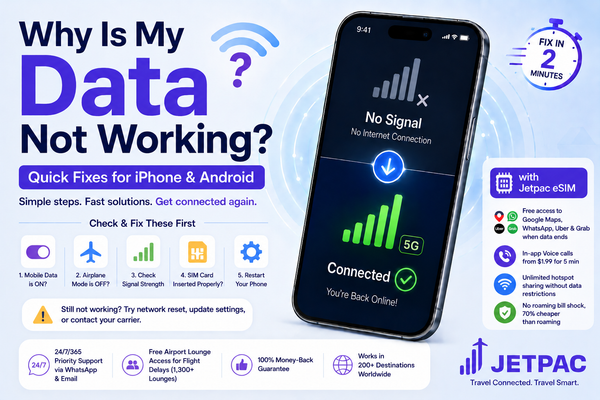
What to Do If Your Mobile Internet Isn't Working
- No signal: Check coverage, move to an open area, restart, and verify the mobile line is enabled.
- Signal but no data: Confirm the data line, allowance, roaming instructions, and carrier-provided Access Point Name (APN) settings where relevant.
- eSIM won't connect: Check activation and partner networks; toggle Airplane Mode briefly and contact support before deleting the eSIM.
- Very slow service: Test another location and review speed or fair-use limits.
- No 5G: Use 4G LTE if available; 5G isn't required for normal travel apps.
- Data exhausted: Top up where supported or buy another plan.
- Home SIM being used for data: Select the travel data line and review automatic data switching.
If your question is "how to get cell service in Bali" rather than simply internet access, check whether your plan supports regular voice calls and texts. Data-only eSIMs support internet-based calling apps but usually don't provide a local number.
Stay Connected in Bali With Jetpac
Jetpac offers a reusable travel eSIM for Indonesia within its 200+ destination network. You can install a compatible plan before departure, keep your home SIM available on dual-SIM phones, and use supported partner networks after arrival.
Its published benefits include multi-network switching, hotspot sharing without a separate tethering cap, and access to selected essential apps after normal data depletion on qualifying packs.
That essential-app feature is limited to specified services and plan conditions, not unrestricted free internet. Jetpac's travel eSIM is data-first; optional in-app voice packs are separate from ordinary carrier calling and SMS.
If your question is "how to get internet in Bali" with minimal setup, a Bali eSIM is worth considering, but a local SIM may suit travelers needing an Indonesian number.
If you're comparing eSIM Bali options, weigh data, network partners, validity, and support before purchasing. Browse Jetpac's Indonesia plans and check live pricing.
FAQs
What is the best way to get mobile internet in Bali?
A travel eSIM is convenient for compatible, unlocked phones; a local SIM is useful for longer stays or a local number. Compare coverage and current packages before choosing.
Can I use my phone in Bali without paying roaming charges?
Yes. Use a local SIM, travel eSIM, or Wi-Fi for data, but your home line may still incur roaming charges if left active for calls, texts, or data.
Is an eSIM or a local SIM better for Bali?
An eSIM is easier to arrange before arrival. A local SIM can be preferable when you need an Indonesian number or a specific local package.
Does my phone need to be unlocked for a travel eSIM?
Yes, to use a different carrier's travel eSIM, your device generally needs to be unlocked and eSIM-compatible.
Can I keep my regular number while using a travel eSIM?
Usually yes on compatible dual-SIM phones. Keep the home line active for your number, but check roaming costs for calls and texts.
Is mobile internet reliable in rural Bali?
Not everywhere. Coverage can weaken in mountainous areas, remote villages, and smaller islands. Download offline maps and check partner networks.
How can I use my phone in Bali for maps and calls?
Use a working mobile data or Wi-Fi connection for maps and internet calling. Regular cellular calls require a voice-enabled plan or roaming service.
How do I get Wi-Fi in Bali without a local SIM?
Connect to hotel, café, or coworking Wi-Fi, or rent pocket Wi-Fi. These can work without a local SIM but won't always provide connectivity between venues.
Disclaimer
This blog is for educational and general travel-planning purposes only. Information reflects sources reviewed in October 2026. Coverage, prices, registration requirements, speed limits, carrier policies, and eSIM features may change. Confirm the latest terms with Indonesian carriers, government authorities, your phone manufacturer, and your chosen provider before departure. Jetpac is not responsible for inaccuracies, later changes, or losses arising from reliance on this information.
Get connected as soon as you land with a Jetpac travel eSIM.